
Corded vs Cordless: Which Andis Master Clippers Should You Buy?
The Andis Master clippers have a long-standing reputation for clean cutting and fast blending. But the best choice depends on how you cut (home vs barbershop), what you value most (raw consistency vs freedom of movement), and how you build your fades (clipper-only vs clipper + trimmer workflow).
- Buy smarter: a practical decision framework (not hype).
- Fade better: a step-by-step blending workflow + a lever/guard cheat sheet.
- Keep it sharp: maintenance that prevents pulling, heat, and uneven cuts.
Note: “Andis Master” includes multiple editions. The core differences below are stable, but small details (like included accessories) can vary by bundle.
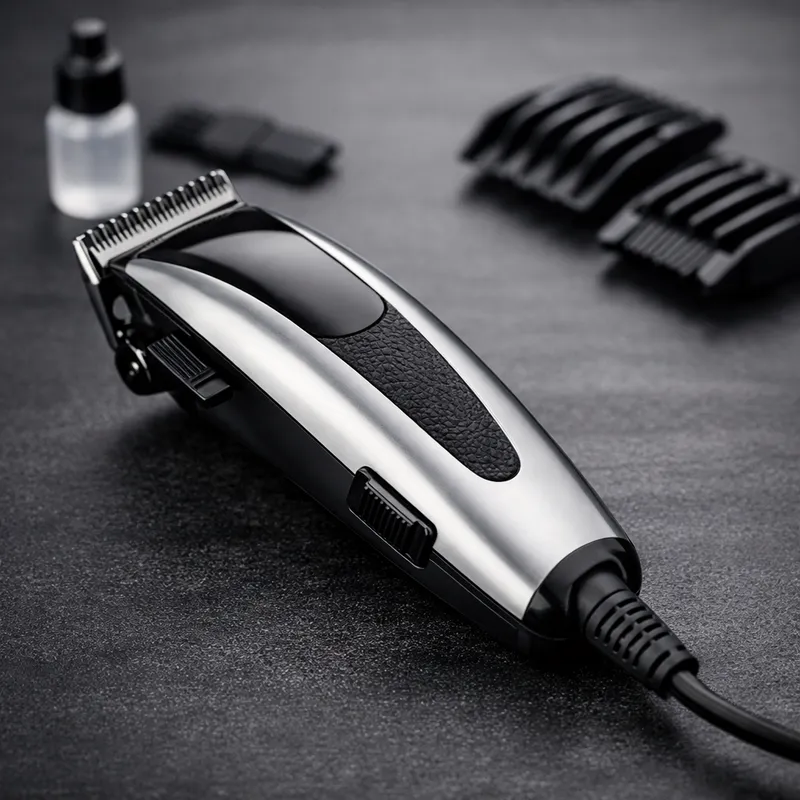
Quick decision (no overthinking)
If you want the shortest path to a confident purchase, use this:
Choose the corded Andis Master if you want:
- Consistent power for longer sessions (no charging routine).
- A classic, all‑day workhorse feel.
- A clipper that rewards steady control and methodical blending.
Choose the Andis Master cordless clipper if you want:
- Freedom of movement (especially for self‑cuts).
- A lighter feel and easier angles around the ears and neckline.
- Less cable friction when doing detail work and cross‑hand blending.
Want a “barber-clean” fade with less frustration? The fastest path is usually: clipper for blending + trimmer for detailing. The Master is excellent at the blending part — and that’s where most fades are won or lost.
On this page
- What makes the Andis Master different
- Corded vs cordless: real‑world comparison
- Andis Master fade clippers: how it fades (and how to fade cleaner)
- Guard & lever cheat sheet (simple + effective)
- Best use-cases by haircut goal & hair type
- Maintenance that prevents pulling, heat & dullness
- Free tools: Clipper chooser + fade planner
- FAQs
What makes the Andis Master clippers a staple?
1) Built for controlled cutting
The Master is known for a stable, “tool-like” feel. That matters because clean fades are basically controlled micro‑adjustments: your hand position, pressure, stroke length, and lever movement. A clipper that stays steady helps you keep every pass intentional.
2) The adjustable lever is the real advantage
Beginners often think the secret is “the best guard set.” In reality, the lever is your blending engine. The Master rewards a simple pattern: set a length → soften the line → open the lever → soften again. You reduce harsh lines without needing ten guard changes.
3) It’s strongest as a “blending” clipper
Most fades look rough for one reason: the blend zone isn’t polished. The Master is excellent for smoothing transitions. When paired with a trimmer for the bottom line (especially for skin fades), you get a workflow that’s both fast and predictable.
How to think about the Master (so you don’t waste money)
Treat the Andis Master as a high-control blending clipper, not a magic wand. If your main goal is the tightest possible “to-the-skin” finish, a fade-focused setup can help — but the Master still earns its place by making the blend look expensive.
- Best at: blending, tapers, removing weight cleanly, refining the fade zone.
- Needs help for: ultra-close finishing (usually done with a trimmer and, optionally, a foil shaver).
Corded vs cordless: what changes in real life
A lot of comparisons stop at “corded = powerful, cordless = convenient.” That’s not wrong — it’s just incomplete. What really changes is your cutting rhythm and how easily you can maintain consistent technique.
| Category | Corded Andis Master | Andis Master Cordless Clipper |
|---|---|---|
| Feel in hand | More “anchored” and steady. Many users like the stability for methodical blending. | Lighter and easier to maneuver, especially for self-cuts and tight angles. |
| Cutting workflow | Simple: plug in and go. Great for long sessions without thinking about charge. | Mobile: easier movement around the head. Ideal if a cord constantly fights your technique. |
| Fades & blending | Excellent blending when you use a lever-driven approach and corner work. | Also excellent blending, with the bonus of easier body positioning for cleaner passes. |
| Who it fits best | Heavy use, barbershop-style routines, anyone who values consistency and stability. | Home users, travel/mobile setups, anyone who wants comfort and flexibility. |
| What to watch out for | Cord management and ergonomics. If you fight the cord, you’ll cut worse. | Battery habits. Like any cordless tool, performance depends on keeping it charged and clean. |
Practical buying tip: If you mostly cut your own hair, “cordless convenience” isn’t a luxury — it often directly improves your results because you can keep your wrist and elbow in stronger positions.
The smart “two-tool” mindset (high conversion, low regret)
The fastest way to a professional-looking result is not buying the most expensive clipper. It’s having a simple system:
- Clipper (Master): debulk + blend + polish the fade zone.
- Trimmer: set the baseline, outline, and detail around edges.
- Optional foil shaver: only if you want a true skin finish (and your skin tolerates it).
Andis Master fade clippers: how it fades (and how to fade cleaner)
People often search for “Andis Master fade clippers” because they want one clipper to do everything. Here’s the truth that makes fades easier:
- The Master is strongest at blending and smoothing transitions.
- If you want a super-tight bottom (skin fade look), use a trimmer for the baseline.
- Clean fades come from sequence + restraint, not from attacking lines randomly.
If you remember one thing: every “line” is just the border between two lengths. Your job is to work only in that border zone — with small adjustments — until it disappears.

Fades aren’t “one length” — they’re a controlled transition.
The Master excels when you treat the fade as zones and blend with the lever instead of constantly switching guards.
A simple fade workflow that works with the Master
This is designed to be reliable for home cuts and still strong enough for advanced users. You can use it for low, mid, high, or drop fades.
- Debulk first (top/sides): start with your longest guard to remove weight above the fade area. This keeps the fade zone clean and easier to blend.
- Choose your fade height: low (near the ear), mid (around the temple), high (above the temple), or drop (curves down behind the ear).
- Build zones, not chaos: work in horizontal “bands” from shorter → longer. Keep each band narrow so you don’t create new lines.
- Use the lever to bridge gaps: close lever to set length, then open gradually to soften the line above. Small movements win here.
- Corner work for curves: use the corners of the blade around the ear and occipital bone. Short strokes + flick out at the end.
- Detail last: trimmer for outline and baseline; optional foil shaver for a skin finish if desired.
The biggest mistake is trying to erase a line by going over the entire area at once. Instead, identify the border between two lengths and work only there.
Technique upgrades that instantly improve results
Short strokes beat long passes.
Long passes create new unevenness. Short, controlled strokes let you “sand” the blend gradually.
Light pressure prevents lines.
Pressing hard forces the blade to bite and can carve a harsh line. Let the tool do the work.
Flick out at the end.
Think “touch and release.” The flick-out keeps you from depositing a new line at the top of your stroke.
Guard & lever cheat sheet (simple, not confusing)
You don’t need a complicated chart. You need a repeatable method that prevents harsh lines. Use this approach with any guard system:
The 3 moves that remove almost any line
- Move 1 — Identify the gap: Which two lengths created the line?
- Move 2 — Work only in that gap: small band, short strokes, light pressure.
- Move 3 — Micro-adjust the lever: close → halfway → open to bridge the transition.
If you’re lost, go one step longer and blend down into the line instead of attacking it from below.
Beginner-friendly blending sequence
This is a safe pattern that keeps you from going too short too soon:
- Start long: debulk above the fade with your longest guard.
- Step down: create a shorter band below (keep it narrow).
- Soften: use lever movement to erase the border line.
- Repeat: build the fade as a series of small transitions.
Your goal is a smooth gradient — not “perfect at each step.” The polish happens after the structure is built.
When to use a trimmer (the secret to “barber clean” fades)
Many people struggle with the lowest part of the fade — the area that should look tight and intentional. That’s where a trimmer helps:
- Set the baseline: outline the bottom cleanly so the fade has structure.
- Detail edges: around the ears and neckline for a sharper finish.
- Then blend above: use the Master to melt the transition into the bulk.
Best use-cases: choose based on your haircut goal
The Master is versatile, but you’ll get better results faster when your tool matches your goal. Here’s how to decide based on what you actually want your haircut to look like.
Goal: clean taper
If you want a classic taper (neckline and sideburns cleaned up, not aggressively high), the Master is a strong choice. The lever gives you controlled blending without over‑shortening the sides.
- Focus on small bands
- Use corner work around ears
- Finish edges with a trimmer for a crisp outline
Goal: low/mid/high fade
For fades, treat the Master as your blend-and-polish tool. Build a clean structure first, then refine the transition until it looks seamless.
- Short strokes + flick out
- Lever micro-adjustments
- Don’t chase lines across the whole head
Goal: buzz cut + fade
Buzz cuts look “expensive” when the blend at the bottom is clean. The Master can handle the blend and cleanup well — especially if you keep the fade zone narrow and controlled.
- Set the buzz length first
- Fade below it in small steps
- Detail neckline for a sharp finish
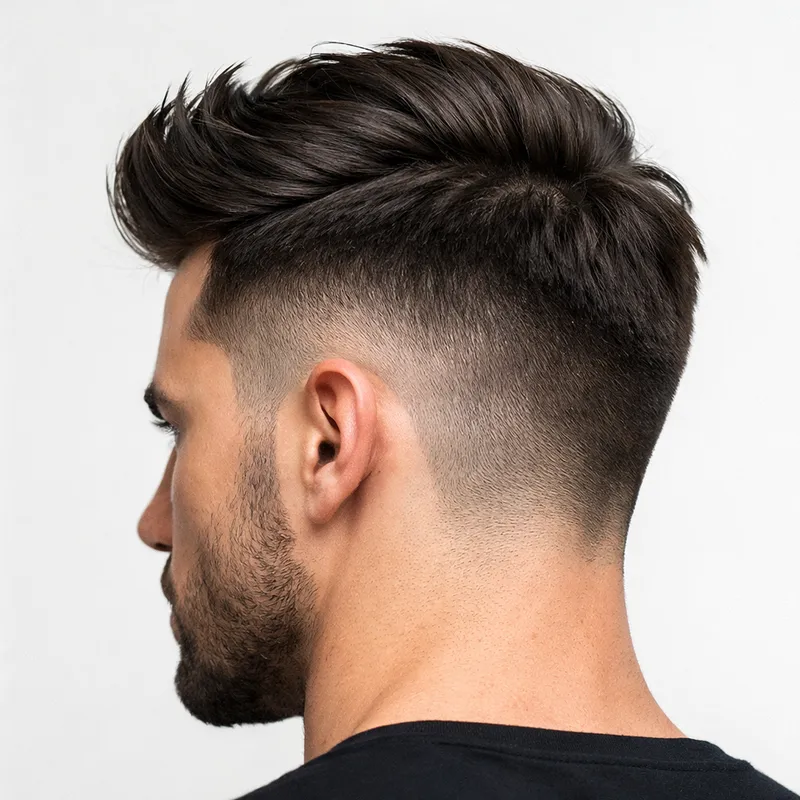
Buzz cuts look better with a clean transition.
If your goal is a buzz cut, the Master helps most in the blending zone (where the fade meets the buzz length).

A better finish comes from the right extras.
Clippers do the heavy lifting, but clean results often come from the small tools: detailing, cleanup, and maintenance.
Hair type notes (so you don’t fight your own hair)
Your hair texture changes what “easy” looks like. The Master can work across textures, but your technique should adapt:
- Straight hair: lines show more easily. Use lighter pressure and smaller bands to prevent harsh steps.
- Wavy hair: blends can look natural quickly, but cowlicks need careful direction changes.
- Curly/coily hair: work slowly in the fade zone and check symmetry often. Short strokes and consistent guard choice matter.
- Thick/dense hair: debulk first. If you try to fade through heavy bulk, you’ll create stubborn lines.
Maintenance that prevents pulling, heat, and “why is it cutting uneven?”
A lot of people blame the clipper when the real issue is maintenance. The Master (corded or cordless) performs best when the blade is: clean, lightly oiled, and free of packed hair.
After every cut (2 minutes)
- Brush out hair from the blade and housing.
- Add a few drops of clipper oil across the blade.
- Run briefly to distribute oil, then wipe excess.
Skipping oil is a fast route to heat, noise, and tugging.
Weekly (5–10 minutes)
- Deep clean the blade area (remove hair buildup).
- Inspect the blade for dull spots or corrosion.
- Check screws are snug (not over-tight).
If your clipper starts “chewing” hair, cleaning and oiling fix it more often than people expect.
Quick troubleshooting
Problem: pulling/tugging
Most common causes: dull blade, no oil, hair packed under the blade.
Fix: clean → oil → test. If tugging remains, consider blade replacement.
Problem: getting hot fast
Causes: friction from dryness, packed hair, long continuous passes.
Fix: clean and oil more often, take short breaks, avoid heavy pressure.
Problem: uneven cutting
Causes: inconsistent technique, blade buildup, wrong guard fit, rushed blending.
Fix: slow down, work in bands, verify guard seating, re-check symmetry.
Free tools (built for this page)
These mini tools help you make faster decisions and get better results with fewer “trial-and-error” mistakes. Nothing is collected, and there are no forms — it’s just on-page guidance.
Tool #1 — The 60‑Second Clipper Chooser (Corded vs Cordless)
Pick the options that match how you actually cut hair. Then generate a recommendation you can follow.
Tool #2 — Fade Plan Generator (built for the Master)
Choose your fade style and finish. This generates a step-by-step plan you can follow while cutting.
FAQs about Andis Master clippers
These are the questions people ask most before buying or when trying to get cleaner results. They’re written to help you decide fast — and cut better right away.
Are Andis Master clippers good for fades?
Which is better: corded Andis Master or Andis Master cordless clipper?
Do Andis Master clippers work for home haircuts?
Why am I getting harsh lines with the Master?
How do I stop the clipper from pulling hair?
Do I need a trimmer if I already have the Master?
Can the Master do a skin fade by itself?
Is the Andis Master a good clipper for beginners?
Ready to choose your setup?
If you want the quickest path to better haircuts, don’t aim for “perfect gear.” Aim for a repeatable routine: the right Master version for your lifestyle + a clean fade workflow + basic maintenance.
Educational note: If you have sensitive skin or a scalp condition, go slowly with close finishes and prioritize comfort over “maximum closeness.” When in doubt, ask a professional barber for technique guidance.