
Want a cleaner beard trim at home? The Series 7200 vacuum trimmer is built for that — but only if you use it the right way.
This page is a complete, no-fluff guide to the Philips Norelco Beard Trimmer Series 7200 family: what it is, how the models differ, what it does better than standard trimmers, and a barber-style routine to get even length and sharper lines without chasing symmetry.
-
Model clarity: what “Series 7200” usually means, why listings also say “Series 7000,” and what to check before buying.
-
Even trim routine: a simple sequence that reduces patchiness and prevents the #1 mistake (going too short too fast).
-
Practical tools: choose a beard style → get recommended mm settings and a step-down plan you can follow.
Transparency: MensHaircutStyle is not affiliated with Philips. Specs and included accessories can vary by exact model code and region. Use this guide to make a smarter decision and get better results from the tool you own.
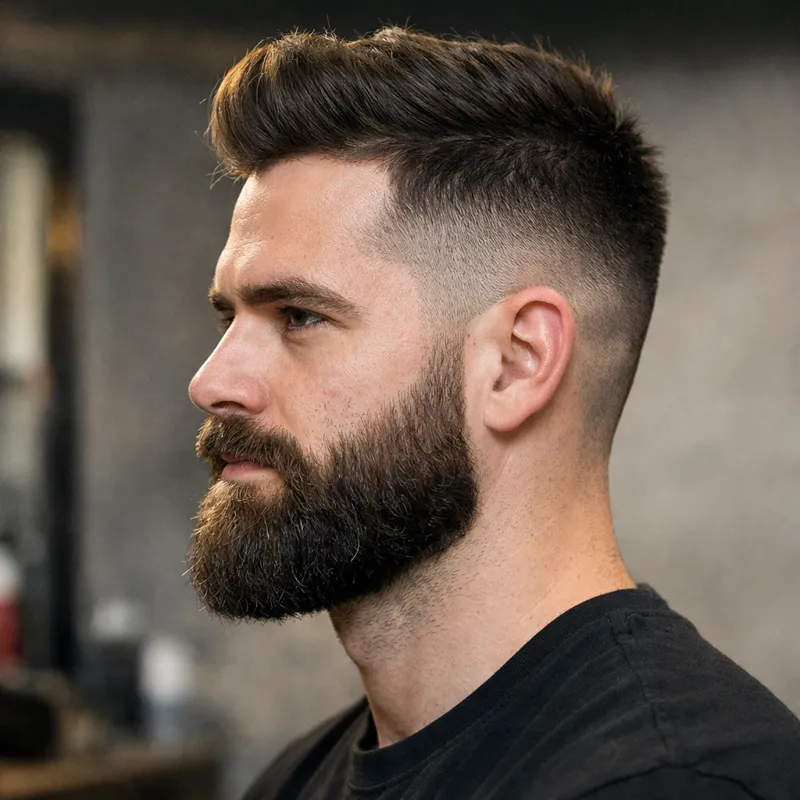
Quick verdict: who the Series 7200 vacuum trimmer is for
Most people looking up “Philips Norelco beard trimmer series 7200” want the same outcome: a neat beard with less cleanup. The vacuum feature is the headline — but results depend heavily on beard length, trimming technique, and how often you maintain.
- Less mess around the sink during weekly maintenance trims.
- Repeatable stubble → short-beard control with small length changes (the “dial and go” style).
- Fast touch-ups before work, dates, interviews, or travel — without vacuuming your bathroom afterward.
- Cleaner edges because you’re not rushing the cleanup phase (rushing = mistakes).
- You want a shower-first, fully waterproof routine. Many vacuum-style trimmers are better treated as “rinse parts, don’t submerge the unit.”
- You need one device for beard + hair + body. An all-in-one groomer is usually more efficient.
- Your beard is often long and dense and you regularly do big reductions. Pre-trimming with scissors is often faster than fighting a guard.
- You want a “set-and-forget” trimmer with zero cleaning. Vacuum systems reduce mess while trimming, but they still need basic maintenance.
Best use-case in one sentence: the Series 7200 shines when you maintain a stubble-to-short beard regularly and want your cleanup time closer to “tap, empty, rinse, done” than “wipe the sink, rinse the counter, change your shirt.”
What “Philips Norelco Series 7200” usually means (and why listings also say Series 7000)
“Series 7200” is widely used as a search term because it’s easy to remember — but Philips product listings and packaging often group these vacuum beard trimmers under the Beardtrimmer Series 7000 family, with different model codes depending on the country and retailer.
Here’s the practical takeaway: don’t buy based on the headline name alone. Before you check out, look for the exact model code (often a “BT” code) and confirm three things that can vary:
- Battery & runtime: some versions list ~60 minutes, others list ~80 minutes (regional differences happen).
- What’s included: precision attachments, small combs, and cleaning tools can change by bundle.
- Corded use: many versions support corded + cordless, but don’t assume it—confirm in the listing.
If a listing doesn’t clearly show model code, runtime, and included accessories, treat it as a risk. A “great price” isn’t great if you end up returning it.
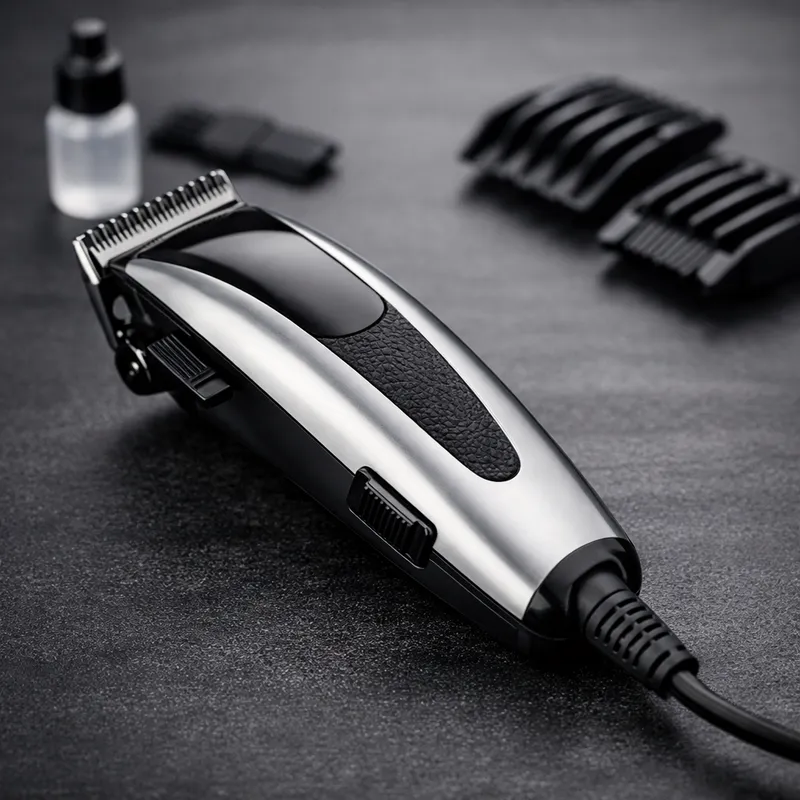
Typical specs (common configurations) — what matters for real-world results
Below are typical specs you’ll see for Series 7200 vacuum beard trimmers. Treat them as a baseline and confirm your exact model. The “most important spec” isn’t the marketing claim — it’s whether the tool supports your preferred beard length range and how easy it is to keep consistent week to week.
| Primary advantage | Integrated vacuum design to capture a large portion of cut hairs while trimming, reducing sink and shirt mess. |
|---|---|
| Length range (common) | Often targeted at stubble to short beards. Many versions list roughly 0.5–10 mm with small increments. |
| Length increments | Frequently listed as 0.5 mm steps. This is what makes the tool useful for “intentional stubble” and clean short beards. |
| Settings (typical) | Often around 20 settings, selected via a dial/zoom wheel. That’s practical because you can repeat the same length every time. |
| Runtime (varies) | Some regions list ~60 minutes; others list ~80 minutes. Confirm before buying if travel and charging frequency matter to you. |
| Corded use | Many vacuum trimmers in this family support corded + cordless, but don’t assume it—confirm in the model listing. |
| What to check in the box | Precision trimming attachment (for corners and moustache), small combs (e.g., 3–5 mm), cleaning brush, and a protective cap are common bundle items—verify your listing. |
Shortcut for choosing the right length range: if your “daily look” is stubble through a short beard, Series 7200 is naturally aligned. If you frequently keep a longer beard and do big trims, you’ll often get faster results by using scissors first and the trimmer second.
Best use cases: when the 7200 vacuum design feels like a real upgrade
1) Weekly maintenance (the sweet spot)
The vacuum feature is most satisfying when you’re doing regular maintenance: trimming a little, not removing months of growth. If your beard is usually “in range,” the trimmer can capture more of what you cut — and your cleanup becomes boring (that’s a win).
- Ideal for 7–10 day touch-ups.
- Helps keep the bathroom tidy, which makes you more consistent.
- Consistency is what builds a “sharp beard identity,” not random long sessions.
2) Dialed-in stubble (looks intentional, not accidental)
Stubble looks best when it’s even. The small step increments are what help you lock a number and keep it. That’s the difference between “I didn’t shave” and “I’m wearing stubble.”
- Pick a length, repeat it, and stop over-correcting.
- Use your neckline and cheek lines to make it look deliberate.
- Spend 2 minutes cleaning the edges; it changes everything.
3) Travel + fast touch-ups
When time is short, mess becomes stress. Vacuum-style trimming can make a quick touch-up feel “safe”: you can trim, empty, rinse the head if needed, and move on.
- Useful before meetings, events, and weekends away.
- Good for shared bathrooms when you want to be considerate.
- Pair with beard oil for a finished look (not required, but effective).
4) Keeping lines sharp without “going too short”
People ruin beards by chasing symmetry. The 7200’s dial makes it easier to step down gradually instead of making one big cut. Gradual reduction is the simple habit that prevents most disasters.
- Start longer than you want.
- Trim with the grain, then against the grain.
- Step down one notch at a time (you’ll feel slower, but you’ll look better).
Setting tools: choose a look → get a simple plan (no forms, runs in your browser)
These quick tools are designed for one thing: helping you avoid guesswork. If you always “just eyeball it,” you’ll constantly change lengths, over-trim, and lose the shape you want. Use the tools once, save the settings you like, and repeat them.
Beard Setting Finder (Series 7200-style lengths)
Pick your target look. Get recommended mm settings for cheeks, chin, moustache, and a safe neckline approach.
Recommended starting point
Tip: Your beard density and growth direction matter. Use these as a starting point, then adjust one step at a time on your next trim.
Step-Down Plan Generator (avoid over-trimming)
Enter current length and target length. Get a safe sequence that reduces patchiness and “oops, too short” moments.
Your step-down plan
Rule: if you want a sharper look, refine the lines and moustache edges — don’t automatically reduce overall length.
Model Number Checklist (so you don’t buy the wrong listing)
Enter the model code you see (example: BT72xx/xx). This tool generates a quick “verify before buying” checklist you can screenshot.
Checklist
If a listing can’t answer these clearly, skip it and pick a more transparent seller.
Want the fastest upgrade in results? Keep your beard length stable for 3 trims in a row. Most “my beard looks off” problems are really “my length changes every time.”
The barber-proof Series 7200 routine (even length + clean lines)
This is the routine that prevents the classic mistake: trimming one side a little shorter, then “matching” the other side, and accidentally deleting your beard. The strategy is simple: reduce gradually, and use your lines to create definition instead of constantly going shorter.
-
Start longer than you think you need
Choose a setting that feels “too safe.” Do one full pass with the grain. This removes bulk without taking away your options.
-
Second pass: against the grain for evenness
Light pressure, slow strokes. This is where you fix patchiness. If your beard grows in different directions, change your stroke angle rather than forcing it.
-
Step down one notch at a time (the “no regret” rule)
Reduce by one setting, re-check at arm’s length in the mirror, then decide if you actually need shorter. Most of the time, you don’t.
-
Set the neckline once — don’t keep moving it upward
A creeping neckline makes your beard look smaller and weaker over time. A simple baseline: place two fingers above your Adam’s apple. That’s a safe starting line for most men. Clean everything below it.
-
Detail work last: moustache corners + cheek line
Don’t outline early. Outline at the end when the bulk is already even. This prevents you from “drawing” a line and then trimming the beard into it.
Fast confidence test: if your beard looks uneven, don’t shorten it immediately. First do:
- One slow pass against the grain on both sides
- Clean the neckline
- Refine moustache corners
You’ll often “fix it” without losing length.

Cleaning & maintenance: keep the vacuum effective and prevent pulling
Vacuum-style trimmers reward basic maintenance. When suction drops or the blades feel like they’re tugging, the usual cause is simple: packed hair + buildup. Clean it for 2 minutes and you often “fix” the trimmer without replacing anything.
After every trim (30–60 seconds)
- Empty the hair chamber.
- Brush off the cutting head area so hair doesn’t compact around the blades.
- Wipe the outer body (especially around vents).
Weekly (2–5 minutes)
- Remove detachable parts and rinse the parts that are designed to be rinsed (then fully dry).
- Check the vacuum pathway for packed hair (this is what reduces capture).
- If you use beard products daily, clean a bit more often. Product + hair = faster buildup.
When to apply beard oil: after trimming and cleaning up, apply a small amount and brush through. It makes the beard look calmer and more “finished,” especially on short beards and stubble.

Troubleshooting: fix the most common Series 7200 frustrations
Most issues aren’t “a bad trimmer.” They’re routine, technique, or cleaning. Use this checklist before you blame the tool.
Problem: the vacuum isn’t catching much
- Cause: packed hair in the chamber or pathway.
- Fix: empty, brush, and check for compacted hair in the intake route.
- Technique upgrade: do maintenance trims more often (weekly). Huge reductions create more loose hair than most vacuums can keep up with.
Problem: uneven length / patchy spots
- Cause: trimming only with the grain, or moving too fast.
- Fix: do a second pass against the grain with lighter pressure.
- Rule: don’t immediately go shorter. Evenness often improves without reducing length.
Problem: the trimmer pulls hair
- Cause: buildup around blades, or trying to cut dense long hair in one pass.
- Fix: clean the head, then trim slower.
- If your beard is long: pre-trim with scissors to “bring it into range,” then use the trimmer for consistency.
Problem: neckline keeps looking “too high” over time
- Cause: you keep raising it each trim to “clean it up.”
- Fix: choose a baseline (two fingers above Adam’s apple), then stop moving it upward.
- Pro tip: clean the area below the neckline more often instead of moving the neckline itself.
Want to skip trial-and-error? One professional beard trim can “set” your shape so home maintenance becomes easy. Get a clean line-up once, then maintain length with your trimmer weekly.
FAQs (quick answers with real-world context)
These FAQs are written to match how people actually search, with clear answers first and useful detail second.
Does the Philips Norelco Series 7200 vacuum actually work?
What beard lengths is the Series 7200 best for?
Why do some listings say “Series 7000” instead of “Series 7200”?
Can I use a Series 7200 trimmer in the shower?
How do I avoid making my beard uneven?
What’s the biggest mistake men make with necklines?
Why does my trimmer start pulling hair?
How often should I trim if I want the cleanest look?
Is a vacuum beard trimmer worth it over a standard trimmer?
Should I get a pro beard trim if I trim at home?
Explore related guides
If you’re still choosing a trimmer or building a full grooming routine, these pages help you compare and upgrade without buying twice.
Want a sharper beard in one session?
If you’re tired of guessing (and trimming more to “fix it”), get a professional beard trim once. Then maintain it at home with your Series 7200 using the same settings every week.
Pro move: ask for a “natural neckline” and a “clean cheek line” that matches your face shape. Then maintain the length at home.
