
Wahl Designer Clippers: Corded vs Cordless, Guard Sizes & a Cleaner Blend System
If you’re searching for Wahl Designer clippers, you’re usually stuck between two things: you want a clipper that feels professional and dependable, and you don’t want to waste money on the wrong model (or fight harsh fade lines every time you cut).
This page is built to solve the real problems other pages ignore: corded vs cordless confusion, what the lever actually does, a guard progression that blends easier, and a maintenance routine that stops tugging and keeps the cut crisp.
Fast truth: The Wahl Designer is a blending workhorse. It’s excellent for tapers, bulk removal, and consistent cutting. For true “skin” finishes, pair it with a trimmer and/or foil shaver.
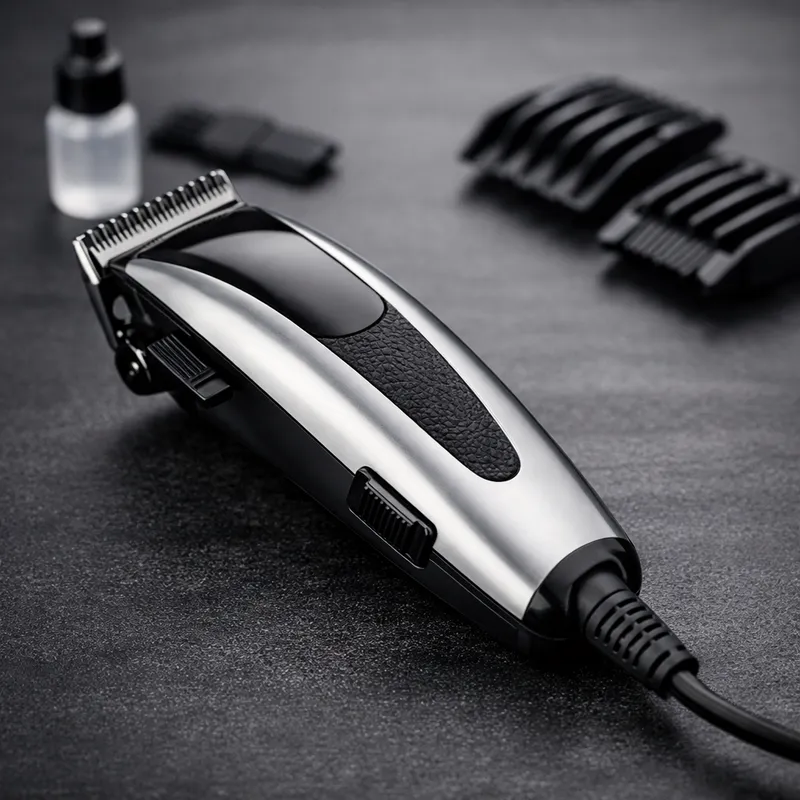
Practical guide focused on real cutting results: smoother blends, fewer mistakes, better buying decisions.
- Tapers, classic cuts, bulk removal
- Reliable blending with lever control
- Home cuts that look “barber-clean”
- Buying the wrong Designer model (corded vs cordless)
- Pressing too hard and creating harsh lines
- Dry blades (tugging) → overcutting
- Guard progression + lever micro-adjustments
- Corner work (tiny strokes where the line is)
- Clean + oil routine every cut
What the Wahl Designer is (and what it isn’t)
The Wahl Designer is popular because it’s straightforward: strong cutting feel, adjustable taper lever, and a blade platform built for consistent off-scalp cutting and blending. In real life, that means: you can remove bulk quickly, then refine the transition without turning the sides into “steps.”
Use-case match: If your goal is a clean taper, a classic men’s cut, or maintaining your haircut between barber visits, the Designer fits perfectly. If your goal is a true skin fade finish, you’ll get the best result by pairing your clipper with a trimmer/foil.
What it’s great for
- Everyday men’s haircuts: consistent length control and clean blending.
- Tapers: tighter around the neck/ears while keeping the transition smooth.
- Home maintenance: side cleanups and neckline refresh between appointments.
- Blending “problem areas”: parietal ridge, behind the ear, and occipital bump (where lines show up).
What it’s not
- Not a foil shaver (it won’t replace a razor-smooth finish).
- Not a detail trimmer (lineups and sharp edges need a smaller tool).
- Not “magic” without technique — the lever and guard system is where the results come from.
Corded vs Cordless Wahl Designer: which should you buy?
“Wahl Designer” can refer to two different experiences. The corded version is the always-on workhorse. The cordless version is the mobility-first option for faster movement around the head and easier self-cuts.
Quick Decision Helper (click what matters to you)
No sign-up, no form. This tool simply summarizes the best match based on your priorities.
Tip: If you’re undecided, pick based on your cutting environment: steady home station (corded) vs movement/self-cut (cordless).
| Feature | Wahl Designer (Corded) — typically 08355-400 / 8355-400 | Wahl Cordless Designer — typically 08591 / 8591 |
|---|---|---|
| Power feel | Constant power (plug-in workhorse). Great when you never want downtime. | Cordless freedom + the ability to plug in if needed (ideal for movement and self-cuts). |
| Best match | Busy cutting sessions, steady home station, “I just want it to work.” | Barber-style mobility, mirror cutting, travel, quicker positioning around the head. |
| Blade platform | Commonly paired with the Wahl 1005 3-hole blade set (great for blending). | Commonly paired with the Wahl 1005 3-hole blade set (same cutting philosophy). |
| Watch-outs | Cord management. Make sure your cutting area has enough slack and a safe plug position. | Battery/charger compatibility. Buy from trusted sellers to avoid mismatched chargers and poor support. |
Note: model numbers and included accessories can vary slightly by market or retailer listing. Always confirm the exact model and kit contents before buying.
Decision rule that rarely fails: If you cut often and want a “never dies” tool, go corded. If you value movement, self-cuts, and convenience, go cordless.
Key specs that actually matter (and what they mean for your haircut)
Specs are only useful if you connect them to outcomes. Here’s what to care about when evaluating the Wahl Designer: blade system, lever range, cutting stability, and the “feel” you get when blending.
Model numbers to recognize
- Corded Wahl Designer: commonly listed as 08355-400 or 8355-400.
- Wahl Cordless Designer: commonly listed as 08591 or 8591.
Why the blade platform matters (more than marketing)
Many Designer kits use the Wahl 1005 3-hole blade. What you get from that is a practical cutting range suited for standard off-scalp cutting and blending. In plain terms: it’s built to remove bulk cleanly, then refine transitions without requiring you to “dig in.”
Safety note: If you adjust or replace blades, alignment matters. Poor alignment can make a clipper feel harsh on skin. When in doubt, follow the official clipper instructions for alignment and maintenance.


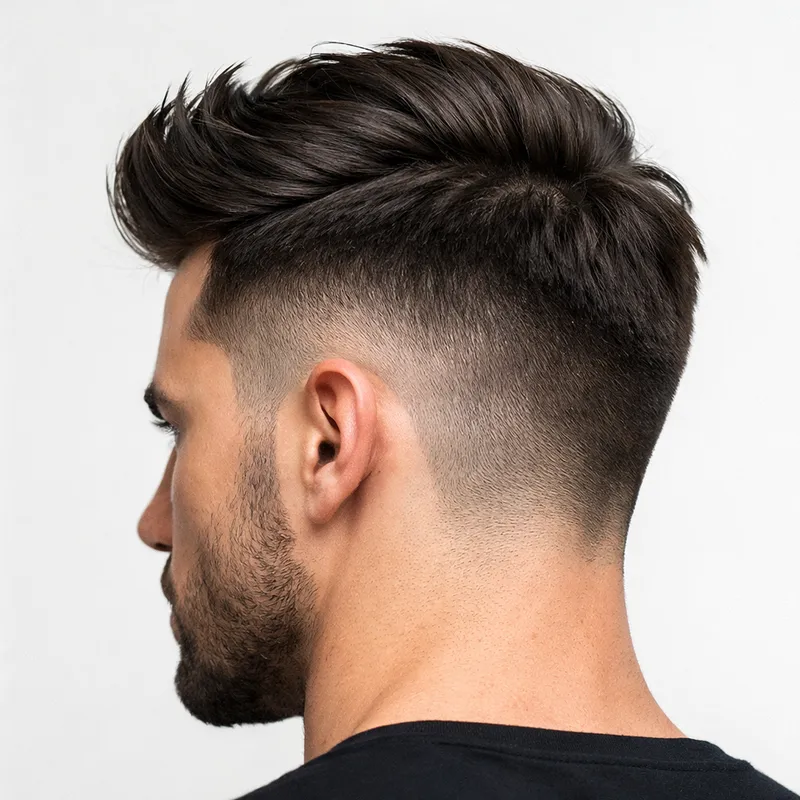
Guard sizes + lever control: the blend system that gives you fewer lines
Most harsh lines come from one thing: cutting in “bands” without a plan. The fix is simple: use a predictable guard progression and treat the lever as a micro-adjustment tool — not a decoration.
Common guard length map (quick reference)
Brands label guards in inches, but your eyes see millimeters. Here’s the practical map most barbers use:
- #0.5 ≈ 1/16″ (about 1.5 mm)
- #1 ≈ 1/8″ (about 3 mm)
- #1.5 ≈ 3/16″ (about 4.5 mm)
- #2 ≈ 1/4″ (about 6 mm)
- #3 ≈ 3/8″ (about 10 mm)
- #4 ≈ 1/2″ (about 13 mm)
- #5 ≈ 5/8″ (about 16 mm)
- #6 ≈ 3/4″ (about 19 mm)
- #7 ≈ 7/8″ (about 22 mm)
- #8 ≈ 1″ (about 25 mm)
Pro habit: When a line appears, don’t immediately drop a full guard size. First, use your lever and corner work to soften it. Guard drops are for building the shape; lever work is for finishing.
Want a faster win? Add a #0.5 and #1.5 guard to your kit. Those two sizes often turn “almost blended” into “clean blend” with fewer passes.
Guard Converter & “Closest Guard” Finder
Use this to translate between guard numbers, inches, and millimeters — and to find the closest guard for a target length.
Select a guard to see the estimated length in mm and inches.
Enter a length and click “Find closest guard.”
Tool note: guard labels are standardized, but real-world results still depend on hair density, technique, and lever position. Use this as a smart starting point.
A beginner-friendly taper / fade workflow with Wahl Designer clippers
The biggest mindset shift is this: a clean blend is not created by “erasing one line.” It’s created by building two or three transition zones and refining them with the lever and corner work. This workflow gives you structure without overcomplicating the cut.
The “No-Regret” method (safer for DIY)
- Start longer than you think. Set your top and overall shape first. It’s easier to go shorter later than to fix a mistake.
- Remove bulk with a longer guard. Use #4–#6 (depending on your style). Keep strokes consistent and avoid stopping mid-stroke.
- Drop one guard to build the taper zone. Use #3, then #2. Think “shape,” not “perfect blend” yet.
- Add the blend guards. Use #1.5 and #1 to create a smoother staircase before you refine it.
- Refine the line with the lever. Work only where you see darkness. Use tiny corner strokes and flick out.
- Finish edges with the right tool. Clippers blend. Trimmers detail. Don’t force one tool to do everything.
Micro-blend rule: If you can see a line, your job is not to “cut the line.” Your job is to cut the shadow just above it using the corner of the blade and small lever changes.
Common line problems (and the fix)
- Harsh line under a guard: you pressed too hard or stayed in one band too long → lighten pressure, shorten strokes, use corner work.
- Patchy blend: inconsistent stroke direction → pick a direction (usually up and out) and stay consistent.
- Tugging / snagging: blades are dry or dirty → clean and oil before you “correct” the cut.
- Fade looks too high: you started too low with a short guard → set a higher guide length first, then work down carefully.
Reality check: If you want a guaranteed clean result for an event or photos, don’t gamble on a first-time fade. Use this guide to understand what to ask for, then book a barber.
Maintenance & troubleshooting (the part that saves your cut)
A clipper that’s not cleaned and oiled is a different machine. It cuts hotter, pulls hair, and forces you to apply pressure — and that pressure is what creates lines and unevenness. If your Designer ever feels “off,” start here before you replace anything.
Maintenance routine (simple and effective)
- After every cut: brush out hair debris from the blades.
- Oil regularly: a few drops on the blade teeth area, run the clipper briefly, wipe excess.
- Check blade alignment after changes: misalignment can feel harsh and can reduce cutting quality.
- Don’t store it dirty: trapped hair holds moisture and friction.
Maintenance Checklist (tap to track, then copy)
This is a quick habit-builder. It doesn’t collect data; it simply lets you track what you did and copy the routine for your notes.
Select items above to build your routine.
Fast troubleshooting
- Clipper pulls hair: clean + oil first. If it still pulls, the blade may be dull or misaligned.
- Fade looks uneven: you likely “chased the line” too low. Reset with a higher guard above, then re-blend gently.
- Clipper feels hot: friction from debris/dryness → brush + oil. Avoid pressing hard.
- Motor runs but cutting feels weak: blades may be worn or the clipper needs a tune-up. Start with cleaning and alignment.
Avoid fakes & buy safely (so you don’t lose support)
Clippers are one of those products where “too cheap” can cost you twice. Common problems with questionable listings include: mismatched chargers (for cordless), poor support, missing guards, and no real warranty path.
Safe buying checklist
- Confirm the model number in the listing title and photos (corded 08355-400 / 8355-400 vs cordless 08591 / 8591).
- Check the kit contents (guards and accessories vary; don’t assume).
- Prefer trusted sellers with clear returns and support.
- If you plan to fade, ensure you have #0.5 and #1.5 available (either included or added).
Practical rule: Buy the clipper for reliability, then build the result with technique and the right guard set. The guard system is what makes a fade predictable.
Wahl Designer Clippers FAQ
These are the questions that decide whether you get a clean result or a frustrating one — answered plainly.
Are Wahl Designer clippers good for fades?
Yes — for blending and taper work, the Designer is strong. The key is using a guard progression and treating the lever as a micro-adjustment tool. For true “skin” finishes, most people get the best result by pairing the clipper with a trimmer and/or foil shaver.
What’s the difference between the corded Designer and the cordless Designer?
Corded models are about constant power and simplicity: plug in and cut. The cordless Designer is about movement and convenience (especially for self-cuts), with the option to plug in when needed. If you value “never dies,” go corded. If you value freedom of movement, go cordless.
Which guard sizes do I actually need for a clean taper?
For most tapers, you can get strong results with #1, #2, #3, and #4. If you want smoother blends with fewer passes, add #0.5 and #1.5. Those two guards reduce the “jump” between lengths that causes visible lines.
Why do I keep getting a harsh line that won’t blend out?
The most common causes are pressing too hard, staying too long in one band, or using inconsistent stroke direction. Fix it by using lighter pressure, shorter strokes, corner work (only where the line is), and small lever adjustments before dropping a full guard size.
My clipper pulls hair — is the Wahl Designer “not strong enough”?
Usually, pulling is a maintenance problem, not a power problem. Clean the blades, oil lightly, and check alignment if you changed blades. If pulling continues after maintenance, the blade may be dull and need replacement.
Can I use Wahl Designer clippers for a buzz cut?
Yes. A buzz cut becomes “premium” when you control the transitions around the temple and neckline. Even if the top is one length, tapering the edges slightly can make the result look sharper and more intentional.
How often should I oil the blades?
A simple rule: oil lightly whenever you notice the cut getting louder, hotter, or less smooth — and ideally after each haircut session. Regular oiling reduces friction, improves the cut feel, and helps prevent tugging.
Pick your path
If you want a reliable clipper experience, choose the model that fits your routine — then use the guard system to make the blend predictable. If you want a guaranteed clean look for an important moment, let a barber do the finish work.
Trademark note: “Wahl” is a trademark of its respective owner. MensHaircutStyle is not affiliated with Wahl.